
Modern Frontend Landing Page
This project demonstrates a responsive landing page built with pure HTML, CSS and JavaScript. It focuses on clean layout structure, reusable components and performance optimization.
Get Started

Alex

Emma

Daniel

Olivia

Sophia

Michael

James

Emily

William

Ava

Ethan

Charlotte

Jacob

Mia

Isabella

Lucas

Grace

Henry

Lily

Benjamin
Clean and Modern Frontend Experience
This project represents a modern frontend landing page focused on clean design, usability and performance. The layout is built with a structured approach to ensure readability and smooth navigation across all devices.
The interface is designed to be intuitive and user-friendly, allowing visitors to quickly understand the purpose of the product. Special attention was given to spacing, typography and responsive behavior to create a consistent user experience.
The goal of this project is to demonstrate practical frontend development skills, including semantic HTML, scalable CSS architecture and interactive JavaScript elements. It can be easily adapted for real-world applications.

Key Features of the Project
This section highlights the main features implemented in this frontend project. The focus is on clean architecture, responsive design and modern UI practices.
Each feature demonstrates practical skills used in real-world development, including layout structuring, component-based styling and interactive behavior.
Why This Project Stands Out
This project focuses on building a clean, modern and user-friendly interface. The goal was to create a layout that is easy to navigate, visually consistent and adaptable across different devices without sacrificing performance.

The layout is designed with a strong emphasis on usability and clarity. Each section follows a logical structure, making it easy for users to interact with the interface and understand the content without confusion.
Key highlights:
- Clean and structured layout with consistent spacing
- Fully responsive design for all screen sizes
- Modern UI built with Flexbox and CSS Grid
- Optimized performance with lightweight assets
- Interactive elements using JavaScript
Interactive UI Demo
This interactive component demonstrates dynamic UI updates using JavaScript. Users can adjust values and instantly see changes, showcasing real-time interaction and responsive behavior.
Live User Activity
| User | Balance | Change (24h) | Performance | Time |
|---|
Explore the Demo Version
This demo allows you to explore the interface, understand the layout structure and experience how the application works in real time. It provides a clear overview of the UI components and interaction flow before diving deeper into the project.
What you can explore
- Clean and intuitive user interface
- Structured layout and navigation flow
- Interactive elements and UI behavior
- Responsive design across devices
- Modern frontend development approach

Development Approach & Technology

This project is built with a focus on clean structure, performance and maintainability. The layout follows a modular approach, making it easy to scale and reuse components across different sections.
Special attention was given to responsive design and consistent UI behavior. The interface adapts smoothly across screen sizes while maintaining clarity and usability.
Tech Stack
HTML, CSS (SCSS), JavaScript
Development Focus
"The goal was to transform a complex layout into a clean, intuitive and user-friendly interface with smooth interactions and modern design practices."
Project Highlights
Clean Code Structure
The project is built with a clear and maintainable structure, making it easy to scale, update and reuse components across different sections.
Responsive Design
The layout adapts smoothly across all screen sizes, ensuring a consistent user experience on mobile, tablet and desktop devices.
Modern UI Approach
The interface follows modern design principles with clean spacing, readable typography and intuitive navigation.
Interactive Elements
JavaScript is used to create dynamic interactions, improving usability and making the interface more engaging for users.
What Users Say About This Project
These testimonials highlight user impressions of the interface, usability and overall experience of the project.
*These testimonials are fictional and created for demonstration purposes only.

“The interface feels clean and easy to navigate. Everything is structured in a way that makes sense, even on the first interaction.”

“I like how smooth and responsive the layout is. It works well across different screen sizes without breaking.”

“The demo helped me understand how the interface works. It’s simple, interactive and well designed.”

“The overall experience feels modern and polished. The design is clean and easy to follow.”

“The structure of the page is very clear. It feels like a real product, not just a template.”
How the Project Works
This section demonstrates the basic flow of the application and how users interact with the interface. The process is simple, intuitive and designed to guide users step by step.
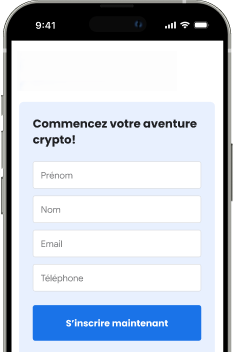
Fill in the Form
Users start by entering basic information into a clean and simple form. The interface is designed for clarity and ease of use.
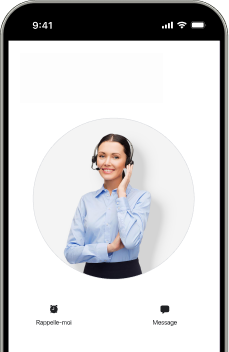
Explore the Interface
After submitting the form, users can explore the interface and interact with different UI components and features.
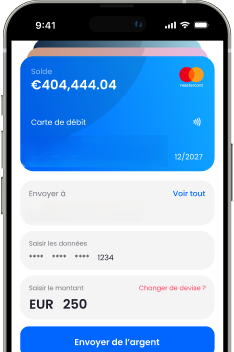
Interact with Features
Users can interact with dynamic elements such as sliders, forms and live updates, demonstrating real-time UI behavior.
This workflow reflects a typical user journey and highlights how the interface is structured to provide a smooth and intuitive experience.






























Frequently Asked Questions
Explore the Project
This project demonstrates a modern frontend approach with a focus on clean layout, responsive design and interactive elements. It showcases how structured UI and well-organized code can improve user experience.
Feel free to explore the interface, interact with the components and review the implementation.
